Kubera · AI assistants · Muse

Kubera works with Muse.

Paste one message and a token, and Muse, Meta's AI agent, can read your whole balance sheet: every bank, brokerage, crypto wallet, private fund, property, trust and entity.

It can update it too, once you say yes: log a dividend from your inbox, revalue a fund from its statement, fix a holding.

Free for 14 days. No card. Nothing to cancel.

What will you ask?
“What drove the change in my net worth during Q3 2026?”
KuberaDown $1.9M, from $20.0M to $18.1M. Not the market: two linked businesses were re-counted and a $5M account appeared.
LiveKubera ⇄ Muse, read and writeCustom connectorOne pasted message and a tokenWorks while you're awayMuse runs on its own computerYour token, your switchRevoke it in Kubera any time

Muse can

  • ✓Read every account, balance and its history
  • ✓Read your fund schedules and cash flows
  • ✓Update it: log a dividend, revalue a fund, fix a holding. Proposed first, applied after you say yes

Muse cannot

  • ×Move money or start a transaction
  • ×See your bank logins. Kubera never stores them.
  • ×See anything you haven't put in Kubera
Watch: Kubera works with Muse, 1:42

Watch the setup, then Muse reading the demo balance sheet and updating it: what moved net worth in the quarter, unrealized gains by position, dividends logged from email. 1:42.

Set up Muse with Kubera

Muse has no connector directory yet, so you tell it about Kubera yourself: one message with the address, then your token when it asks. Two minutes, and the connector stays in your Muse account.

Step 1 of 6

Generate a token in Kubera

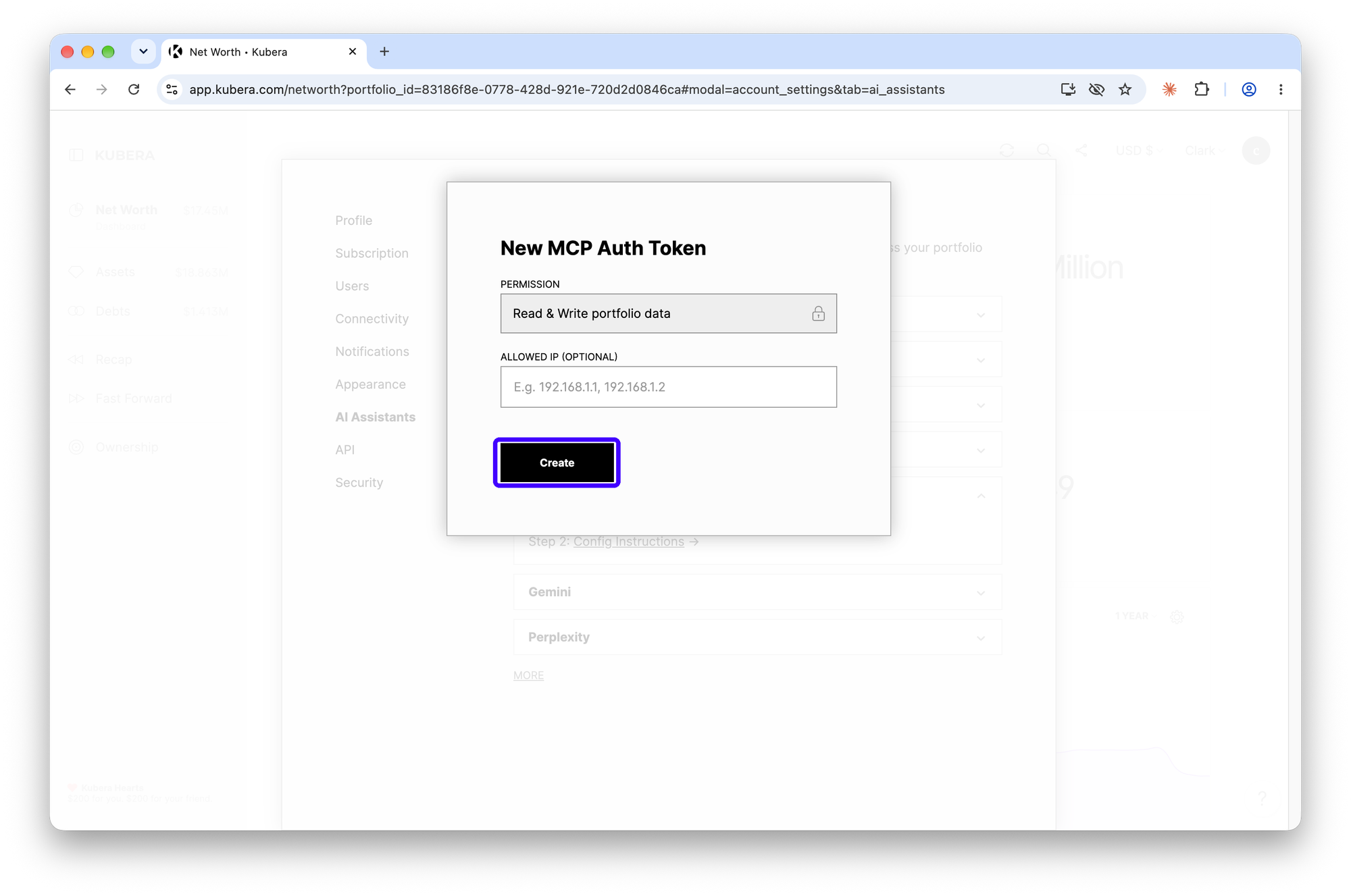
On the Kubera desktop app or website: Settings, then AI Assistants, then Muse, then Generate Auth Token. Click Create, then copy the token. Treat it like a password: it lets Muse read your balance sheet and, when you ask, update it.

WhereSettings › AI Assistants › Muse › Generate Auth TokenOpen Kubera
Kubera Settings, AI Assistants tab, with the Muse row expanded and Generate Auth Token highlighted
Kubera New MCP Auth Token dialog showing Read & Write portfolio data permission and the Create button
Step 2 of 6

Paste this message into Muse

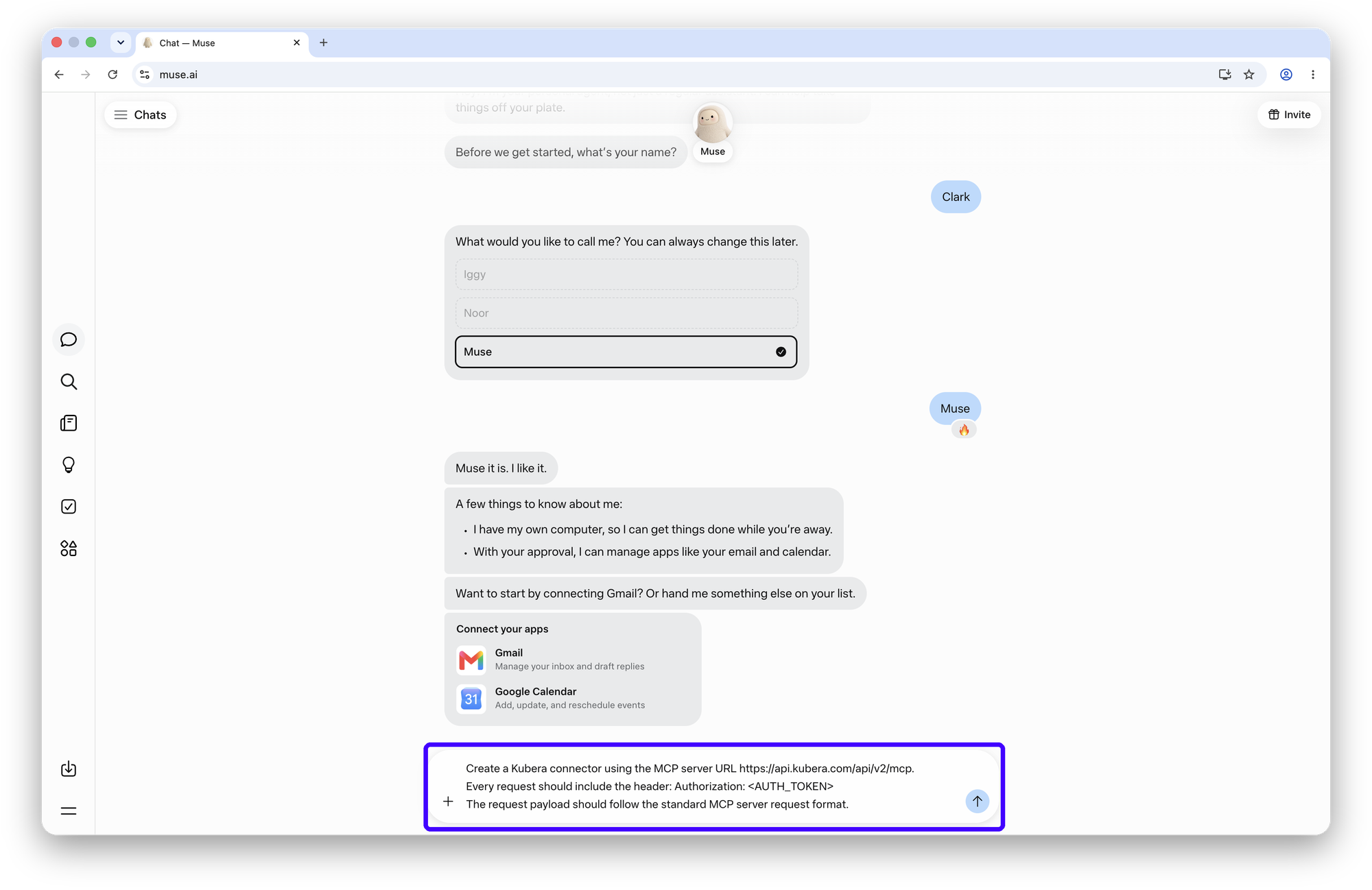
Open a chat at muse.ai and send the message below, exactly as written. Leave <AUTH_TOKEN> as it is: Muse asks for the real token in a moment.

Create a Kubera connector using the MCP server URL https://api.kubera.com/api/v2/mcp. Every request should include the header: Authorization: <AUTH_TOKEN> The request payload should follow the standard MCP server request format.Copy
Muse chat with the three-line Kubera connector message typed into the composer
Step 3 of 6

Click Connect on the Kubera card

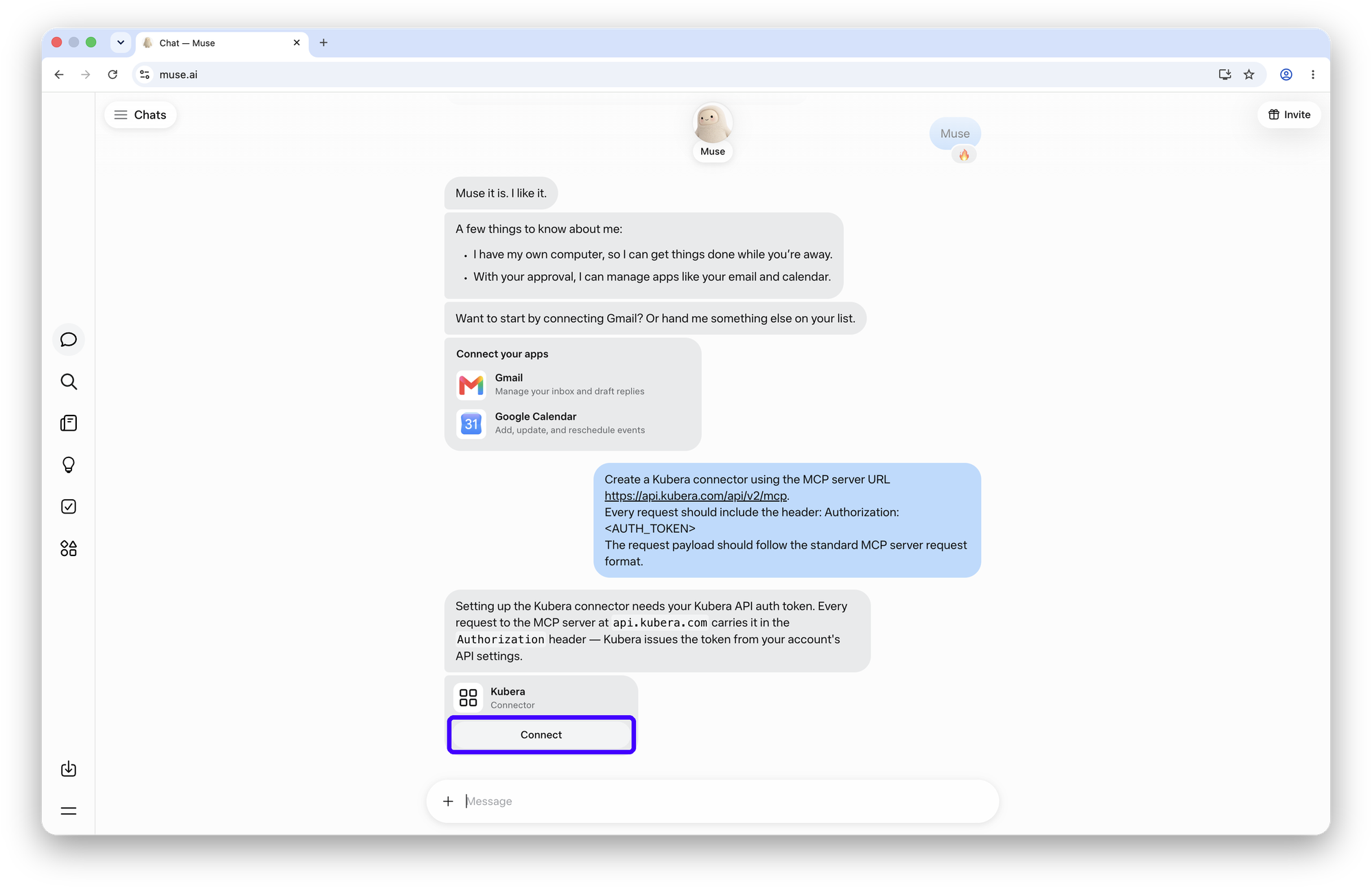
Muse replies that the connector needs your Kubera auth token and shows a Kubera, Connector card. Click Connect.

Muse replies that the connector needs a Kubera auth token and shows a Kubera Connector card with a Connect button
Step 4 of 6

Continue past the custom-connector notice

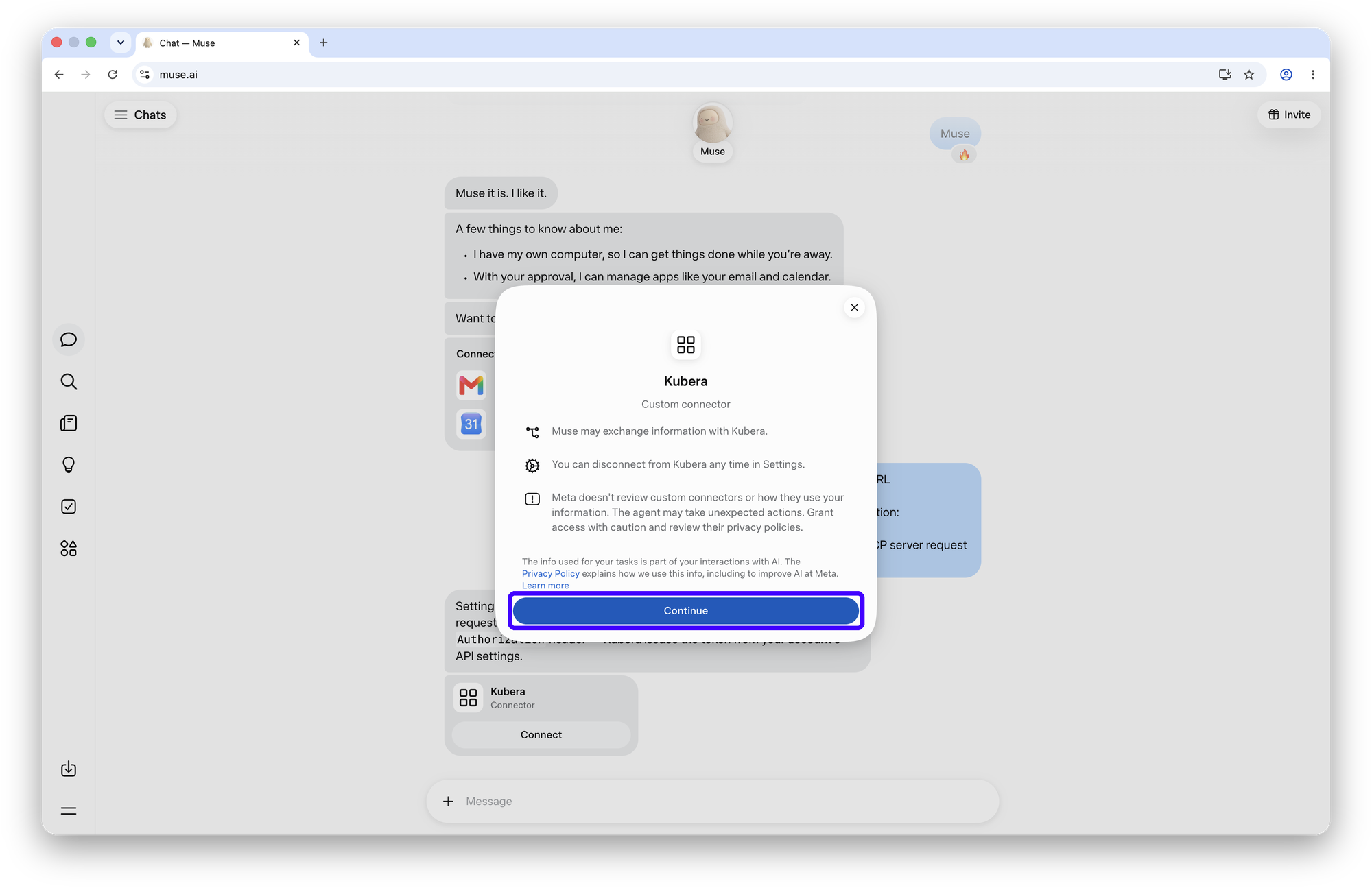
Muse explains that Meta doesn't review custom connectors and that you can disconnect any time in Settings. That is normal for every connector Muse didn't build itself. Click Continue.

Muse custom connector notice for Kubera with the Continue button highlighted
Step 5 of 6

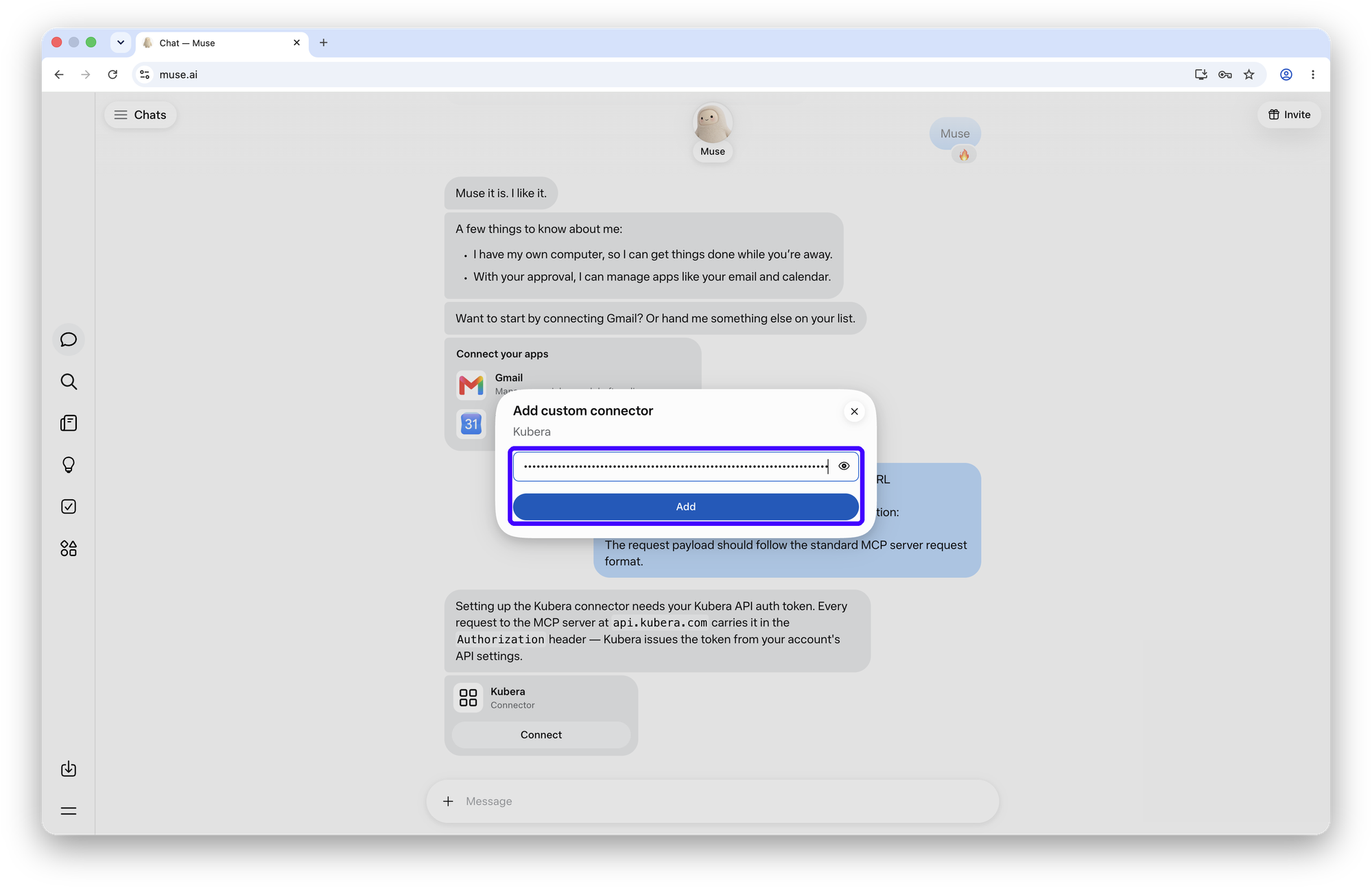
Paste the token and click Add

The Add custom connector box asks for one thing: the token from step 1. Paste it and click Add.

Muse Add custom connector dialog with the Kubera token pasted and the Add button
Step 6 of 6

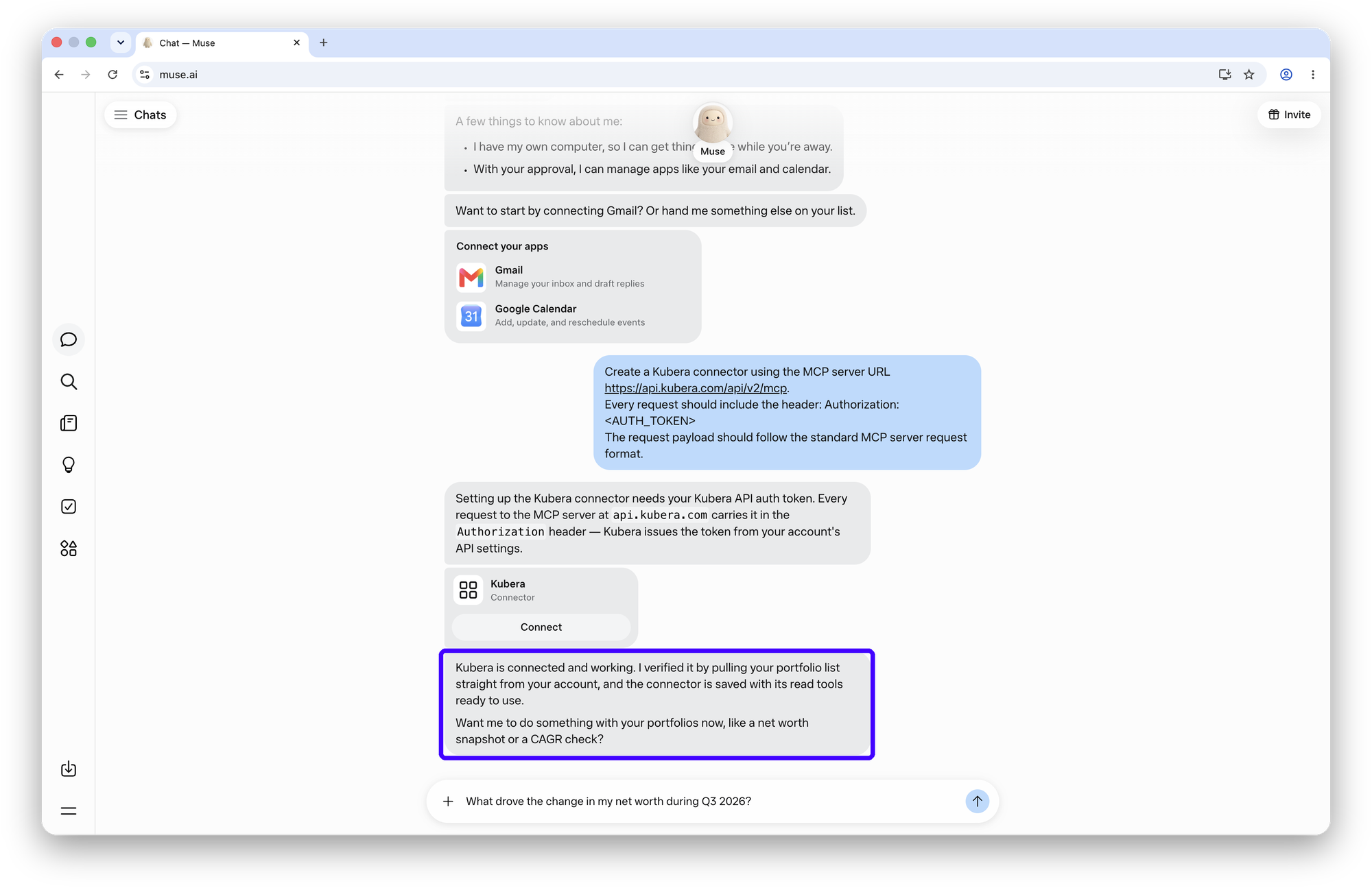
Muse checks it, then ask

Muse pulls your portfolio list to confirm the connection and tells you Kubera is connected and working. Ask your first question in the same chat.

TryWhat's my net worth?Copy
Muse confirms Kubera is connected and working, with a net worth question typed in the composer

Keep the token to yourself. It works only against Kubera's MCP server and only for your account, but anyone holding it can read your balance sheet through any MCP client. If it ever leaks, go back to Settings, AI Assistants in Kubera and revoke it; the connector stops that moment.

Kubera's own guide, kept current as Muse changes: Kubera MCP config for Muse.

What to ask

Muse reads the balance sheet the way you would: every account, its daily history, and the cost basis you've recorded. So it can answer the questions a spreadsheet makes you work for. Two it answered from the demo account:

Example 1 · The quarter

Ask what moved net worth, and why

Muse walked the daily history, separated market moves from bookkeeping changes, and said which was which, with two caveats about things it couldn't tell from the data alone.

What drove the change in my net worth during Q3 2026?

Net worth went from $20.0M on June 30 to $18.1M on September 30, down about $1.9M. The headline: it wasn't market losses.

Sep 29 · two linked businesses re-counted$5.35M→$2.79Mownership share cut, not value lost
Sep 24 · Commbank account appeared+$5.0Mnew row, flat since
Sep 25 · stripe.com revalued$787K→$1.5M
July to mid-September · markets+$0.7Mquarterly peak $20.7M on Sep 22

Worth checking: I can't tell whether the ownership cuts are real events or a link setting you changed in Kubera. Debt barely moved (~$1.41M), so this is an asset-side story.

Example 2 · Cost basis

See unrealised gains across everything

Every position with a cost basis, ranked, across brokerages, property and private funds, and a plain note about what is missing a cost basis and so left out.

What are my unrealized gains and losses across my investments, based on cost basis?

Across the positions where you track cost basis, you're sitting on +$3.2M of unrealised gains: $7.7M current value against $4.5M of cost, about +71%.

420 Laf Ave+$1.36M+86% on $1.59M cost, the largest by far
Fidelity brokerage+$598K+296%
Eli Lilly+$386Ka 14-bagger on $28K of cost
Private Equity Fund−$150K−60%, IRR −15.4%. The only meaningful loss

Caveat: cost basis is tracked on about 41% of your assets. Crypto, the $5M Commbank account, stripe.com and the linked portfolios have no cost recorded, so they're excluded.

Muse can update Kubera too

Reading is half of it. Once connected, Muse can also keep the balance sheet current. Every change is proposed as a before-and-after and applied only after you say yes in the chat. Two ways people use it.

1 · Inbox → cash flow

Log dividends and capital calls from email

Muse connects to Gmail natively. It searches the month's notices, lists what it found, and logs them the way Kubera's IRR expects: capital calls as Cash In, money you put into the fund; dividends and distributions as Cash Out, money the investment paid back to you.

Muse has its own computer, so you can ask it to do this on the first of every month and report back.

Check my email for dividend and capital-call notices this month, and log them in Kubera.

Three notices this month. Log them?

Vanguard dividend$4,812.40 receivedCash Out
Schwab dividend$1,206.15 receivedCash Out
Sequoia Fund III capital call · due Oct 15$150,000 to payCash In
Yes
✓ Three cash flows logged in Kubera
2 · Statement → fund value

Update a private fund from its statement

Attach the quarterly PDF with the + button. Muse reads it, shows the change in value and the next capital call, and on your yes updates the fund and its schedule in Kubera's Investments.

⎘ Sequoia Fund III — Q3 2026 Statement.pdfUpdate this fund in Kubera from the statement.

Read the Q3 statement. One value and one schedule change. Update them?

Sequoia Fund III · NAV$2,250,000→$2,418,500+7.5%
Next capital call$150,000 · Oct 15
Yes
✓ Fund value and capital-call schedule updated

More to try, reads and updates. Click one to copy it.

What's my net worth today, and what was it a year ago?What drove the change in my net worth this quarter?What are my unrealized gains and losses, based on cost basis?Which accounts haven't updated in more than 30 days?What's my exposure to tech stocks across every brokerage?List the capital calls due in the next 90 days.Which of my private funds has the worst IRR?How much of my net worth is in a currency other than USD?Check my email for dividend and capital-call notices this month, and log them in Kubera.Update this fund in Kubera from the attached statement.Add my new property at $1.2M and the $800K mortgage against it.Mark the Sequoia Fund III capital call as paid on Oct 15.Every Monday, send me a net worth snapshot from Kubera with what changed.

Privacy, in short

Muse sees only what you have put in Kubera, and only while it is answering you. It never sees your bank logins, because Kubera never stores them.

See my whole net worth

Free for 14 days. No card. Nothing to cancel.

If something doesn't work

Five things people run into, and the fix for each.

Muse asks for a key but shows no card
Send the setup message again in a fresh chat, exactly as written on this page, including the Authorization line. The Kubera card appears under Muse's reply.
“Token rejected” or “couldn't reach Kubera”
Generate a new token in Kubera (Settings, AI Assistants, Muse), remove the old connector in Muse's Settings, and run the setup again with the new one.
Muse answers from memory, not from Kubera
Start a new chat and say Kubera in the question: “From Kubera, what's my net worth?”
The connector disappeared
Check Muse's Settings for connectors. If Kubera is gone, the token may have been revoked in Kubera; generate a new one and reconnect.
Numbers look old
Muse reads what Kubera has. Refresh the account in Kubera first.

Questions

Is it safe to paste my token into Muse?

The token lets any MCP client read and, when asked, update your Kubera balance sheet, so treat it like a password. It cannot move money or reach your banks. Muse stores it as a connector credential; if you ever doubt it, revoke the token in Kubera and the connector stops working that moment.

Why a token, when Claude and ChatGPT just ask me to sign in?

Muse's custom connectors take a key rather than a sign-in flow. Kubera issues one just for Muse, so revoking it affects nothing else.

Does it work on my phone?

The connector belongs to your Muse account, so wherever you use Muse signed in, Kubera is there. Set it up once at muse.ai.

Can Muse change things in Kubera?

Yes, when you ask. It can log dividends and capital calls from your inbox, update a fund from its statement, or change a holding. Every change is shown as a before-and-after first and applied only after you confirm in chat. It cannot move money. Everything it changes shows in Kubera's history.

Does Kubera see my chats?

No. Muse sends Kubera a request for data, Kubera answers, and that is all Kubera sees.

I use Claude or ChatGPT too. Same setup?

No, each AI connects differently. See the pages below, or the full list of supported AI assistants.

One number. Finally. Ask Muse about it.

Connect the first account and the balance sheet starts. Your daily history starts with it.

Free for 14 days. No card. Nothing to cancel.