Kubera · AI assistants · ChatGPT

Kubera works with ChatGPT.

Install the Kubera plugin and ChatGPT can read your whole balance sheet: every bank, brokerage, crypto wallet, private fund, property, trust and entity. It can update it too, once you say yes: sync a stubborn bank, log a dividend from your inbox, revalue a fund from its statement.

Free for 14 days. No card. Nothing to cancel.

What will you ask?
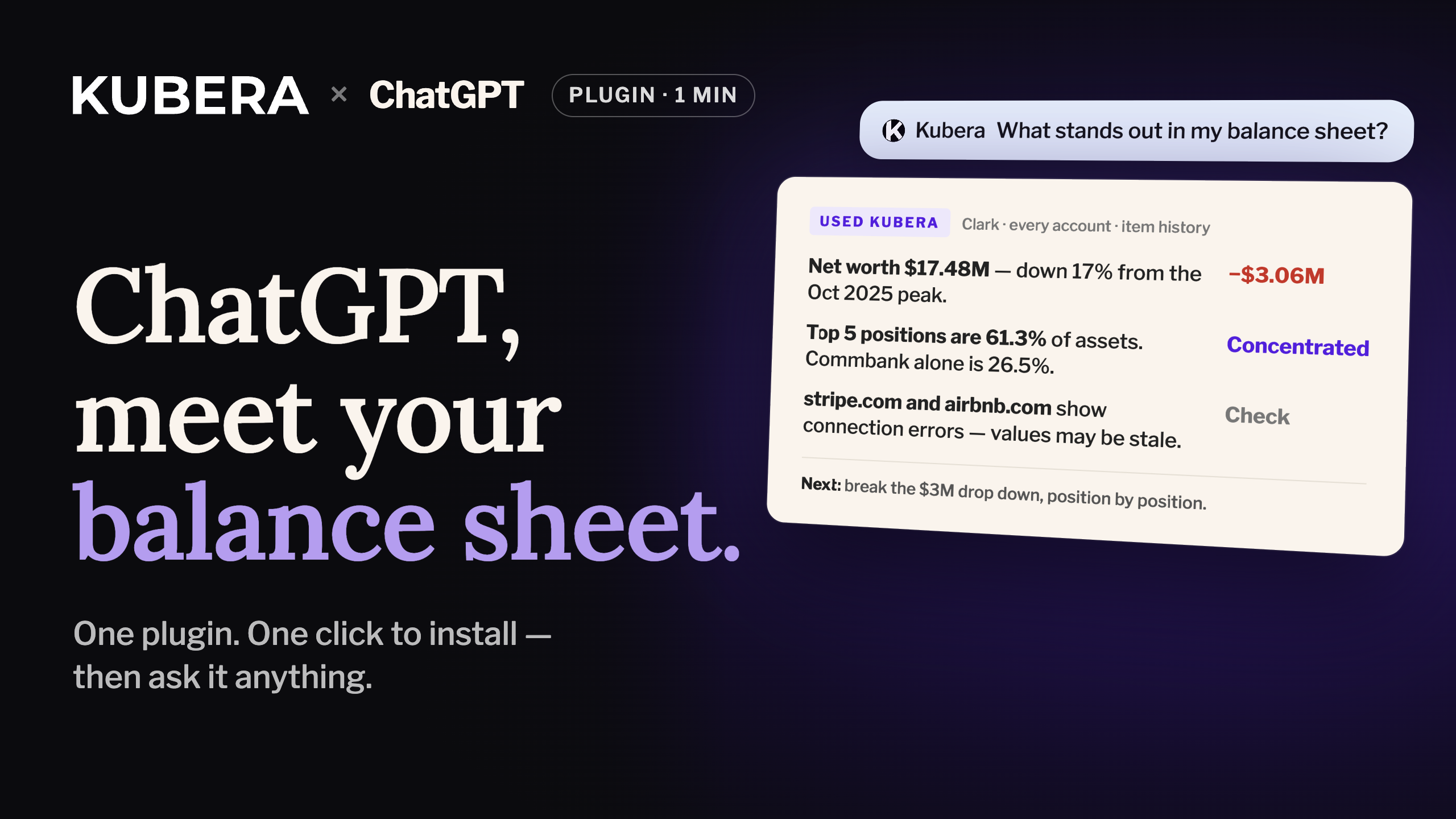
“What stands out in my balance sheet?”
KuberaNet worth $17.48M, down 17% from the Oct 2025 peak. Your top 5 positions are 61% of assets.
LiveKubera ⇄ ChatGPT, read and writePluginIn the directory, one clickEvery ChatGPT planFree, Go, Plus, Pro, BusinessWeb, desktop, phoneOne install, every app

ChatGPT can

  • ✓Read every account, balance and its history
  • ✓Read your fund schedules and cash flows
  • ✓Update it: sync a bank, log a dividend, revalue a fund. Proposed first, applied after you say yes

ChatGPT cannot

  • ×Move money or start a transaction
  • ×See your bank logins. Kubera never stores them.
  • ×See anything you haven't put in Kubera
Watch: Kubera works with ChatGPT, 1:28

Watch the install, then ChatGPT reading the demo balance sheet and updating it: a bank synced, dividends logged from email, a fund revalued from its statement. 1:28.

Set up ChatGPT with Kubera

Kubera is a plugin in ChatGPT's directory, so there is nothing to paste. Find it, click the plus, allow access, and it is there in every ChatGPT app you use.

Step 1 of 5

Open Plugins

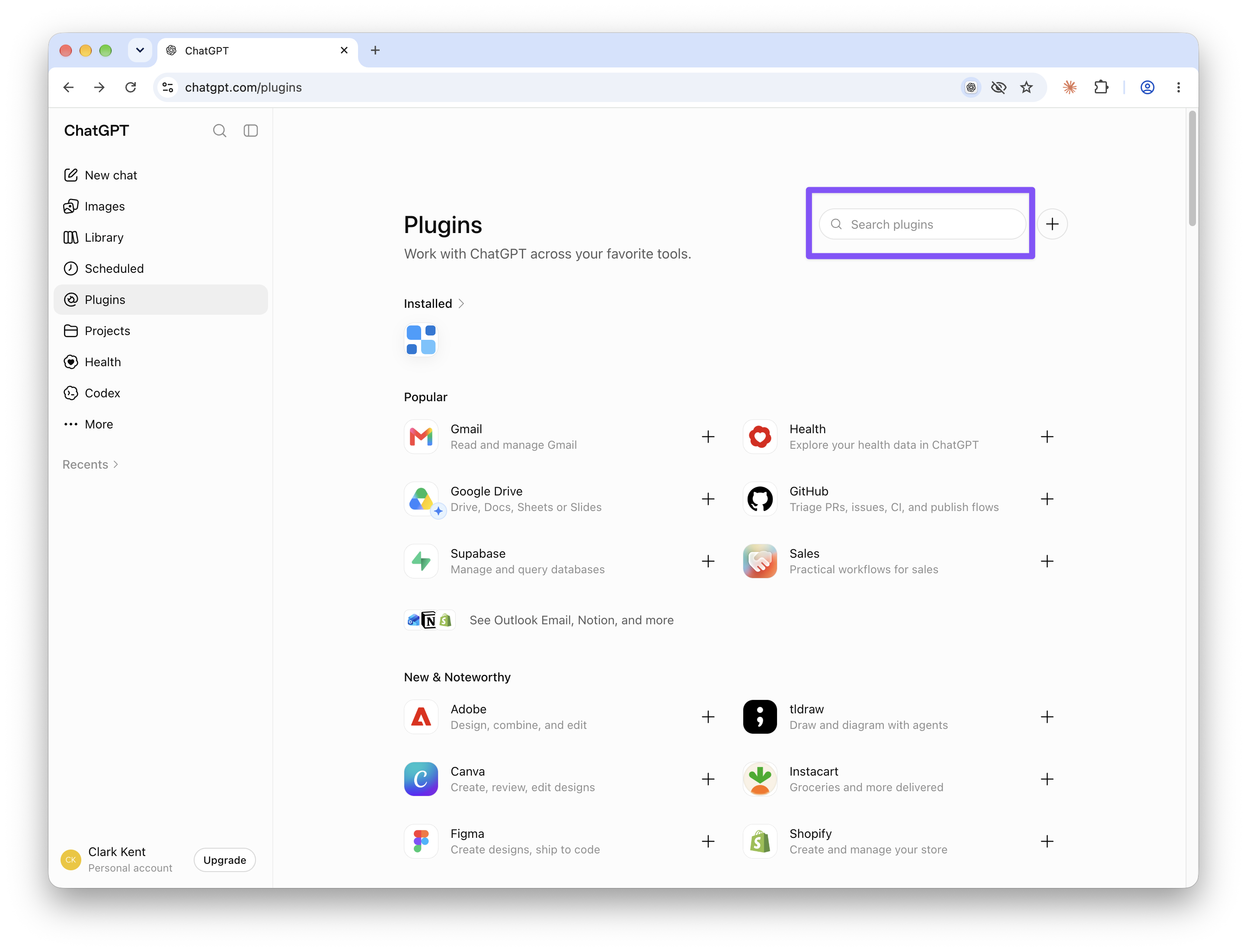
In ChatGPT, click Plugins in the left sidebar, or open the page directly.

Pagechatgpt.com/pluginsOpen
ChatGPT Plugins directory with the search box at the top right
Step 2 of 5

Search for Kubera and click the plus

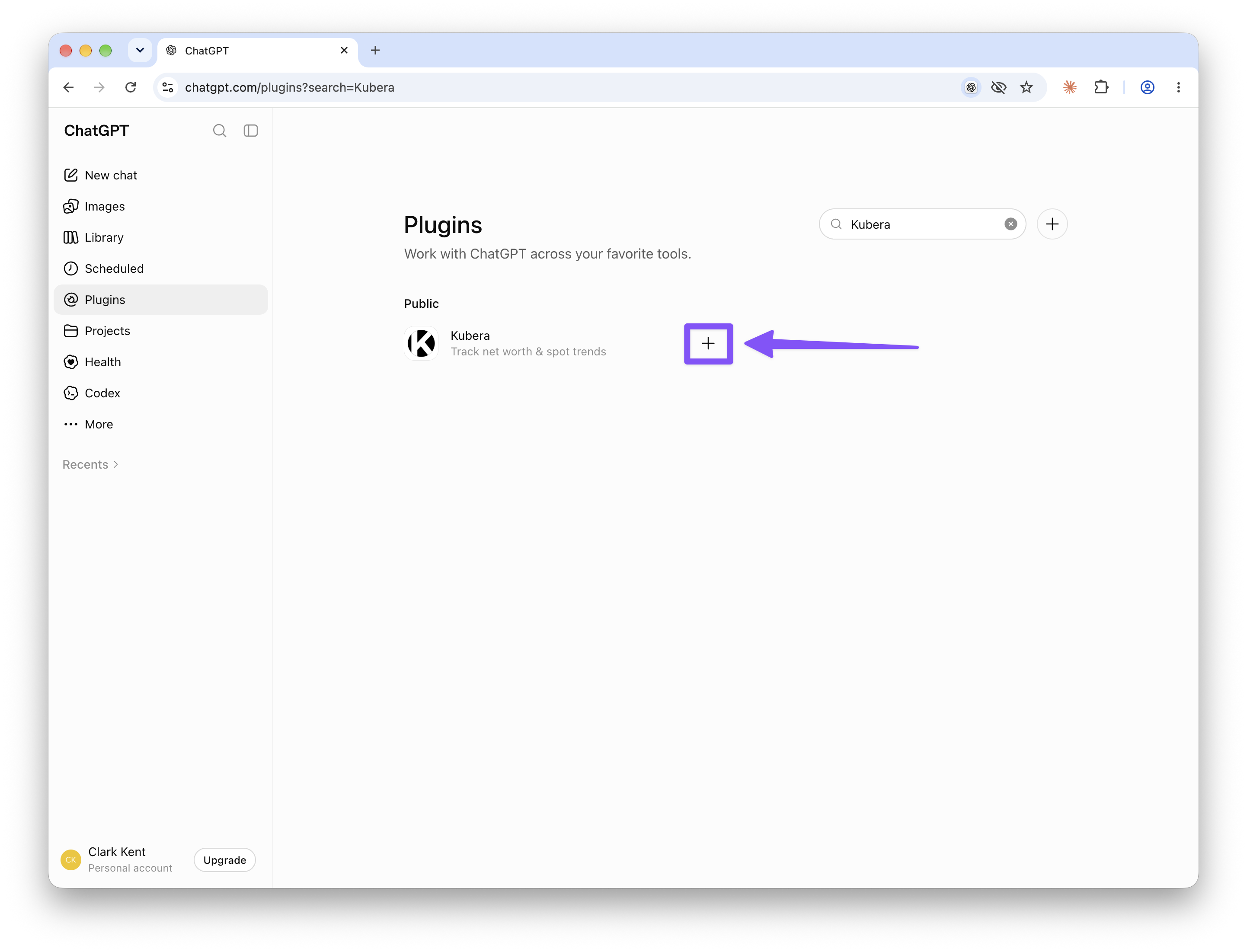
Type Kubera in the search box at the top right. One result: Kubera, Track net worth & spot trends. Click + next to it.

SearchKuberaCopy
Searching Kubera in ChatGPT Plugins, with the plus button next to the result
Step 3 of 5

Allow access in Kubera

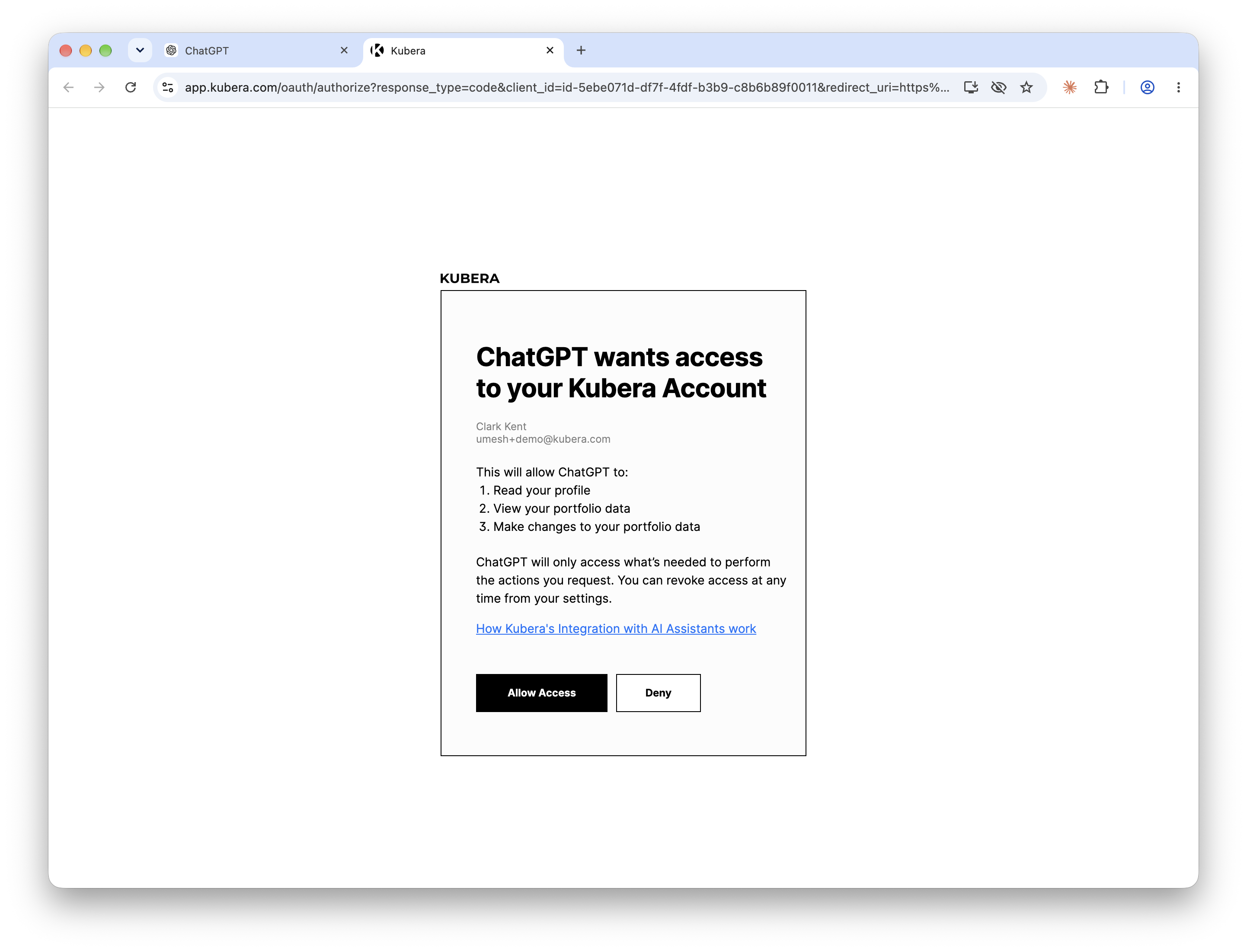
A Kubera page opens showing what ChatGPT will be able to do: read your profile, view your portfolio and make changes to it when you ask. Click Allow Access.

Kubera asking to allow ChatGPT access, listing the three permissions and the Allow Access button
Step 4 of 5

You are back in ChatGPT, installed

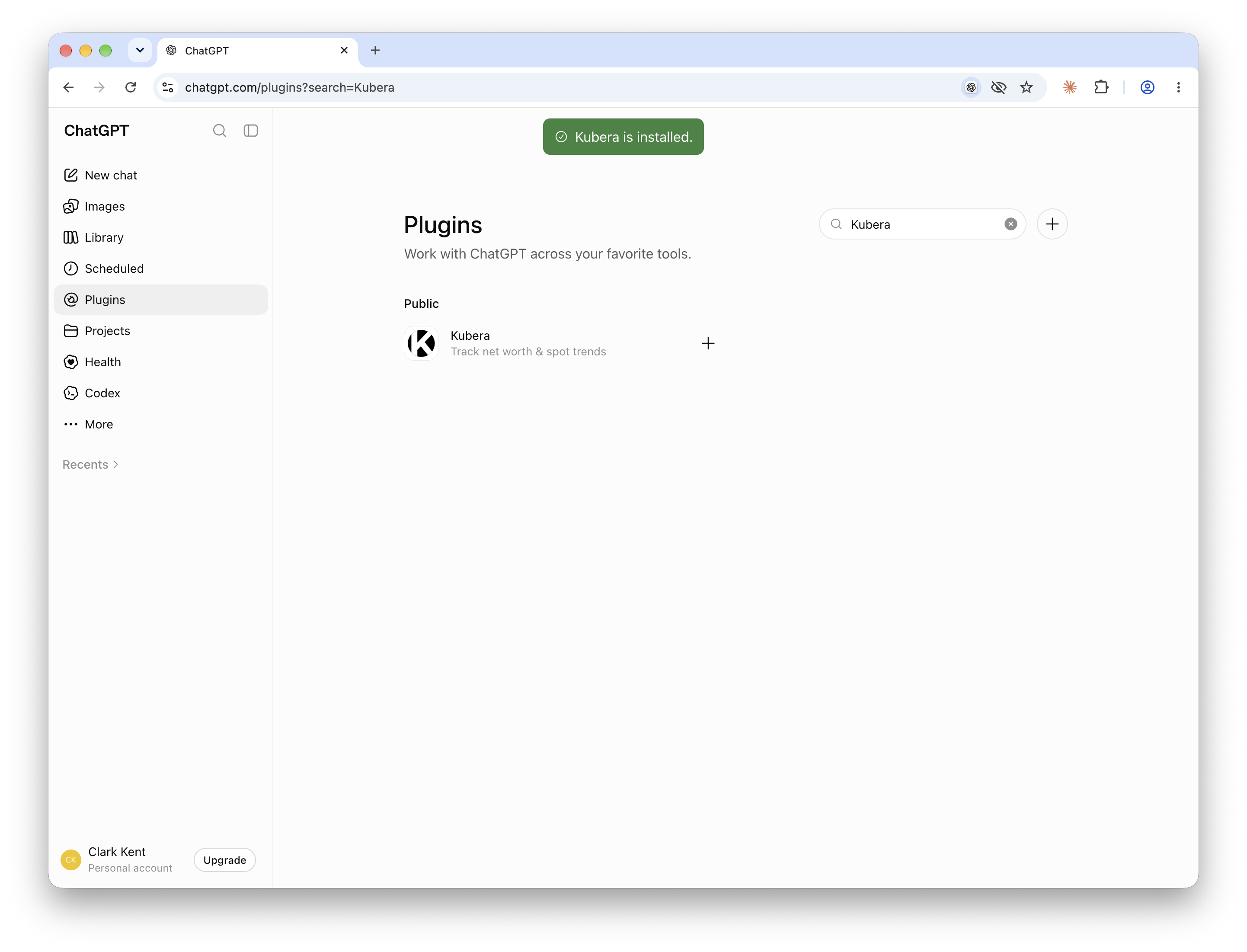
ChatGPT shows Kubera is installed. Click the Kubera plugin to see its page and the example prompts, or click Try in chat.

ChatGPT showing the Kubera is installed confirmation
Step 5 of 5

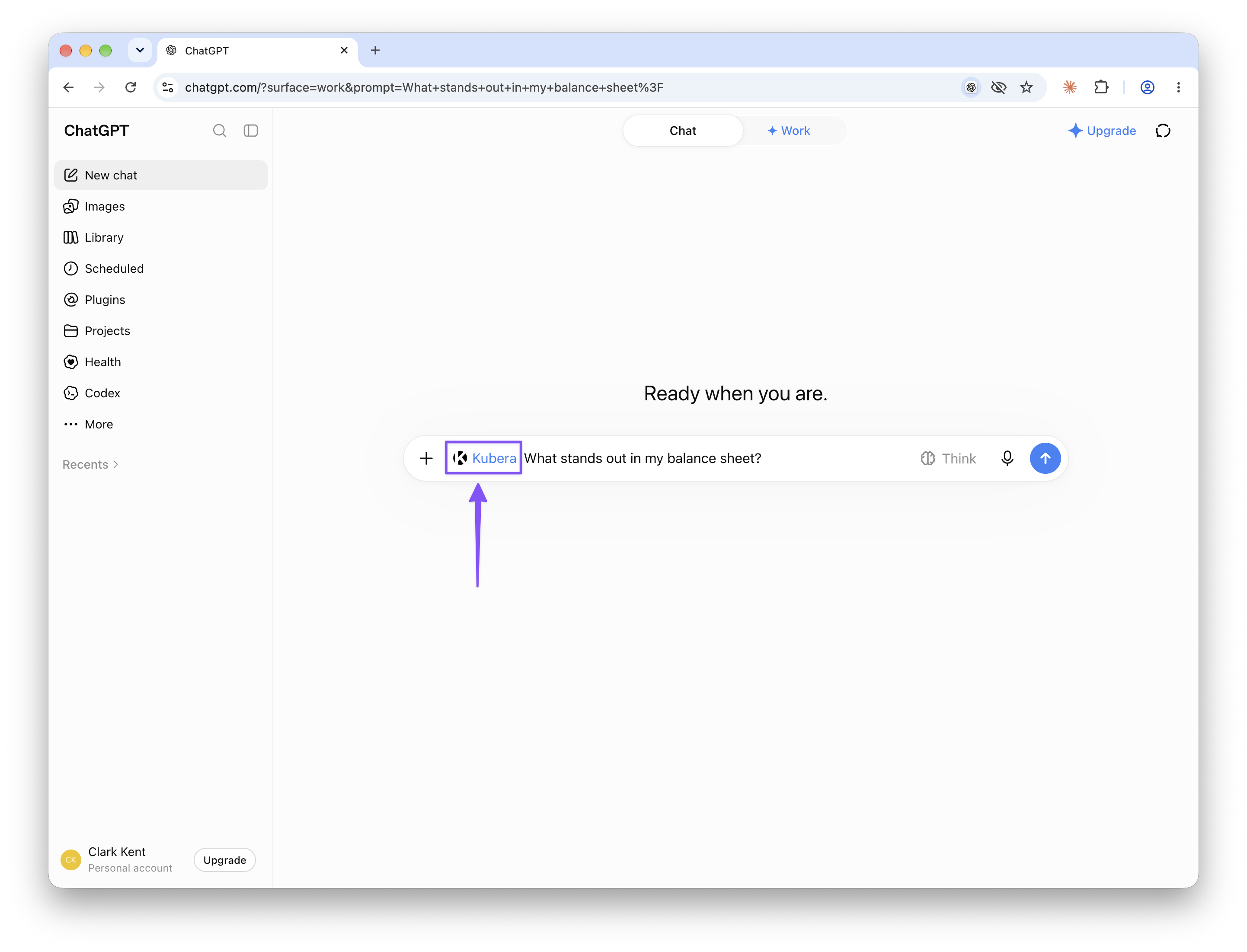
Ask with @Kubera

In any chat, type @Kubera and pick it from the list. The Kubera chip appears in the message box, so you know the answer will come from your balance sheet. Then type or paste your question after it. Type the @Kubera part yourself: pasted text doesn't trigger the chip.

After @Kubera, pasteWhat stands out in my balance sheet?Copy
ChatGPT message box with the Kubera chip and the question What stands out in my balance sheet

Once installed, it is everywhere. The plugin belongs to your ChatGPT account, so it works on the web, in the desktop app and in the iPhone and Android apps without adding it again.

Business and Enterprise workspaces: a workspace admin enables the Kubera plugin first, then each person does steps 2 and 3. OpenAI's own guide: Using plugins in ChatGPT.

What to ask

ChatGPT reads the balance sheet the way you would: every account, its history, and the fund schedules. So it can answer the questions a spreadsheet makes you work for. Two it answered from the demo account:

Example 1 · The overview

Ask what stands out

One question, and ChatGPT read net worth history, allocation, leverage and the per-account notes to find the things worth a second look, including two values that were going stale.

KuberaWhat stands out in my balance sheet?

A few things jump out from your balance sheet:

Net worth$17.48Mdown 17% from the $21.03M peak, Oct 2025
Concentration61.3%of assets in the top 5. Commbank alone is 26.5%
Investable52.9%$9.99M. The rest is real estate, private and crypto
Lafayette property$1.75M equity$2.95M value, $1.20M mortgage
Tax on unrealised gains~$292K$173K of it at Fidelity

Worth checking: stripe.com ($1.5M) and airbnb.com ($235K) both show connection errors, so those values may be stale.

The biggest thing I'd investigate: net worth fell about $3.06M in six weeks, too much to explain from the liquid portfolio alone. Want it broken down position by position?

Example 2 · Concentration

Find out where you are exposed

The follow-up most people ask next. ChatGPT ranks positions across every brokerage, wallet and entity, not one account at a time.

KuberaWhere am I overly concentrated?

Three places, in order of size:

Commbank$5.0M · 26.5%a single holding, over a quarter of assets
Top 10 positions74.7%of all assets
One property19.9%all of your real estate is the Lafayette house

Crypto is about $1.7M across ETH, BTC, staked USDe and Chainlink; ETH alone is $851K, so it is concentrated inside the category too.

ChatGPT can update Kubera too

Reading is half of it. Once installed, ChatGPT can also keep the balance sheet current. Every change is proposed as a before-and-after and applied only after you say yes in the chat. Three ways people use it.

1 · Web sync

Keep a stubborn bank in sync

For any bank or brokerage Kubera can't link, or a connection that keeps breaking. ChatGPT opens the institution's site in its own browser, you sign in and grant permission, and it reads the balances and holdings. It can run on a schedule so the account stays current.

Needs the ChatGPT desktop app in Work mode and a paid ChatGPT plan. How web sync works

KuberaSync my Wells Fargo account with Kubera. Instructions: kubera.com/ai

Signed in to Wells Fargo and read 2 accounts. Two balances changed. Update them?

Wells Fargo Checking$41,880.00→$42,310.18
One more account, updated the same way
Yes
✓ Bank Accounts sheet updated in Kubera
2 · Inbox → cash flow

Log dividends and capital calls from email

With the Gmail or Outlook plugin installed in ChatGPT too, it searches the month's notices, lists what it found, and logs dividends to Cash In and capital calls to Cash Out in Kubera.

KuberaCheck my email for dividend and capital-call notices this month, and log them in Kubera.

Three notices this month. Log them?

Vanguard dividend+$4,812.40Cash In
Schwab dividend+$1,206.15Cash In
Sequoia Fund III capital call · due Oct 15−$150,000Cash Out
Yes
✓ Three cash flows logged in Kubera
3 · Statement → fund value

Update a private fund from its statement

Drop the quarterly PDF into the chat. ChatGPT reads it, shows the change in value and the next capital call, and on your yes updates the fund and its schedule in Kubera's Investments.

⎘ Sequoia Fund III — Q3 2026 Statement.pdfKuberaUpdate this fund in Kubera from the statement.

Read the Q3 statement. One value and one schedule change. Update them?

Sequoia Fund III · NAV$2,250,000→$2,418,500+7.5%
Next capital call$150,000 · Oct 15
Yes
✓ Fund value and capital-call schedule updated

More to try, reads and updates. Type @Kubera in ChatGPT first, then click one to copy and paste it after.

What is my current net worth, and what was it a year ago?Summarize my assets, liabilities, and entities.Which accounts haven't updated in more than 30 days?What's my exposure to tech stocks across every brokerage?List the capital calls due in the next 90 days.If I buy the house at $2.4M with 30% down, what does my cash position look like?Which of my private funds has the worst IRR?How much of my net worth is in a currency other than USD?Update my Tesla shares to 100 units.Sync my Wells Fargo account with Kubera. Instructions: kubera.com/aiCheck my email for dividend and capital-call notices this month, and log them in Kubera.Update this fund in Kubera from the attached statement.Add my new property at $1.2M and the $800K mortgage against it.Mark the Sequoia Fund III capital call as paid on Oct 15.

Privacy, in short

ChatGPT sees only what you have put in Kubera, and only while you are asking. It never sees your bank logins, because Kubera never stores them.

See my whole net worth

Free for 14 days. No card. Nothing to cancel.

If something doesn't work

Five things people run into, and the fix for each.

Kubera isn't in the Popular list
It is in the directory but not featured. Type Kubera in the search box at the top right of the Plugins page.
The Kubera page never opened after clicking +
Your browser may have blocked the pop-up. Allow pop-ups for chatgpt.com, then click + again and choose Allow Access.
ChatGPT answers without using Kubera
Type @Kubera at the start of the message and pick it from the list, so the Kubera chip shows in the message box. Pasting @Kubera as text doesn't count. Then ask again.
Plugins is missing from the sidebar
Update the ChatGPT app. In a Business or Enterprise workspace, an admin has to enable plugins first.
Numbers look old
ChatGPT reads what Kubera has. Refresh the account in Kubera first.

Questions

Do I need a paid ChatGPT plan?

No. The Kubera plugin installs on Free, Go, Plus and Pro. Web sync is the exception: it needs the desktop app in Work mode on a paid plan. In Business and Enterprise workspaces an admin enables the plugin.

Does it work on my phone?

Yes. The plugin belongs to your ChatGPT account, so once it is installed on the web it shows up in the ChatGPT iPhone and Android apps and the desktop app.

Can ChatGPT change things in Kubera?

Yes, when you ask. It can sync a bank account, log dividends and capital calls from your inbox, update a fund from its statement, or change a holding. Every change is shown as a before-and-after first and applied only after you confirm in chat. It cannot move money, and for web sync you sign in to the bank yourself. Everything it changes shows in Kubera's history.

Does Kubera see my chats?

No. ChatGPT sends Kubera a request for data, Kubera answers, and that is all Kubera sees.

Can my advisor's ChatGPT see my Kubera?

Only if they install the plugin with their own Kubera login and you have shared your portfolio with them. Each install is tied to one Kubera account.

I use Claude or Muse too. Same setup?

No, each AI connects differently. See the pages below, or the full list of supported AI assistants.

One number. Finally. Ask ChatGPT about it.

Connect the first account and the balance sheet starts. Your daily history starts with it.

Free for 14 days. No card. Nothing to cancel.