
Ask ChatGPT whether your portfolio is too concentrated and it will give you a thoughtful answer about concentration in general. It has to. It does not know what you own. Paste in a summary and the answer improves, until you realise the summary was three weeks old, left out the rental property, and rounded the fund positions. The difference between an AI that knows about money and an AI that knows about your money is the difference between a lecture and a conversation, and it comes down to one thing: whether the assistant can read your actual balance sheet.
This guide covers what changes when an assistant has your real numbers, the questions that are worth asking once it does, how the connection works for ChatGPT, Claude and the others Kubera supports, what the assistant can read and what it can change, exactly what leaves Kubera and who controls it afterwards, and the working habit that keeps a fallible tool useful.
Connecting Your Balance Sheet to an AI Assistant at a Glance
- Without your numbers, an AI assistant answers the average person's question. With them, it answers yours: concentration by issuer across every account, cash against upcoming commitments, what moved this quarter and why, the cost of the fees you are paying.
- Kubera connects to ChatGPT, Claude, Grok, Perplexity and others through the Model Context Protocol (MCP), the open standard for giving an assistant a live, permissioned view of another application. Setup takes minutes: a Connect button for ChatGPT, a connector URL for Claude and Grok, an auth token for Perplexity (setup guide).
- The assistant can read net worth, value history, recap reports and the full portfolio, and it can also find, create and update assets, debts, cash flows, sheets, sections and portfolios. That is powerful and worth a rule: let it read freely; make it confirm before it writes.
- Only portfolio data leaves Kubera, over an encrypted connection, and only after you have enabled Kubera in the assistant and logged in to authorise it. Kubera never sees your chats. Once the data is with the assistant, its retention and use for training are governed by the assistant's own plan and settings, so check them (help centre).
- AI makes mistakes. The habit that works is ask, verify against Kubera, then decide. Details on the Kubera AI page.
The connection, four questions, and the privacy answer, in two minutes:
What Changes When the Assistant Has Your Real Numbers
The models are already good at finance. What they lack is the specific: the positions, the cost bases, the dates, the debts, the currencies, the entities, and how all of that has changed over time. Give an assistant that, and three kinds of question become answerable that were not before.
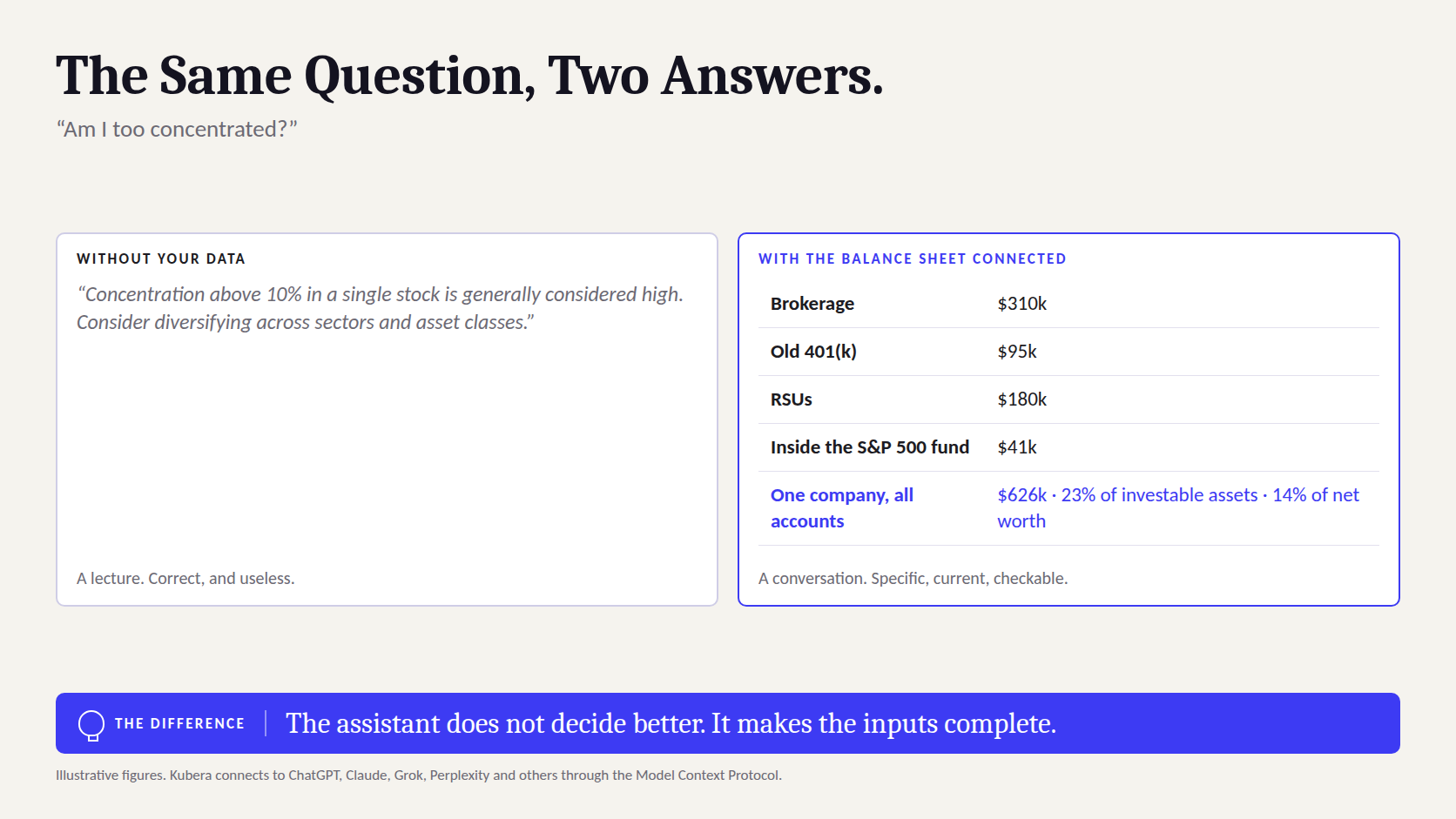
Questions across accounts. Concentration in a single company is invisible when it is split between a brokerage account, an old 401(k), RSUs at an employer and an index fund that holds the same stock. An assistant that can see all four adds them up. Questions across time. "What changed this quarter and why" needs value history and the recap of what moved, not a snapshot. Questions across asset types. Whether cash is adequate depends on the capital calls scheduled against it; whether a property is a large share of net worth depends on everything else. All of these are cross-references, and cross-referencing is what a connected assistant does well.
The same questions, with and without the balance sheet
| You ask | Without your data, the assistant says | With the balance sheet connected, it can say |
|---|---|---|
| Am I too concentrated? | Concentration above 10% in one stock is generally considered high; consider diversifying. | Across your brokerage, 401(k), RSUs and the S&P 500 fund, one company is 23% of investable assets and 14% of net worth. Here is the breakdown by account. |
| Do I have enough cash? | Most planners suggest three to six months of expenses. | Cash is $310,000. Scheduled capital calls over twelve months total $405,000 and living costs are $35,000 a month. On the current schedule cash goes negative in September. |
| What happened this quarter? | Markets were volatile; check your statements. | Net worth rose 3.1%. Two-thirds of the gain was the technology fund; the rental fell on an updated valuation; the euro accounts lost 2% on currency. |
| What am I paying in fees? | Typical fund expense ratios range from 0.03% to over 1%. | Weighted expense ratio across funds is 0.41%; three funds account for most of it. Here they are, with cheaper index equivalents by ticker. |
| Should I sell X? | That depends on your goals and tax situation. | The same, honestly. But it can show the unrealised gain, the holding period, the position's IRR against the index on your dates, and what the sale does to concentration, which is what you need to decide. |
The last row is the honest one. A connected assistant does not make decisions better by itself; it makes the inputs to a decision complete, immediate and specific. That is most of the work.
The Questions Worth Asking
The prompts below are the ones that produce answers you could not have got any other way in under a minute. They assume the assistant can read the whole balance sheet, and they are grouped by the decision they feed.
Twelve questions for an assistant that can read your balance sheet
| Decision | Ask | What to check before acting |
|---|---|---|
| Concentration | "Total my exposure to each company across every account, including what index funds hold. Rank by share of investable assets." | That it counted the funds' underlying holdings correctly; that RSUs and options are included |
| Concentration | "How much of my net worth is in one country, one currency, one sector, one property?" | The country of listing versus of revenue; the currency of each account |
| Liquidity | "List the cash I can access within a week, then everything scheduled to leave in the next twelve months, including capital calls." | That the schedules on the funds are current |
| Liquidity | "If markets fell 25%, what happens to the value of the assets pledged against my line, and how close is that to a margin call?" | The lender's actual advance rate and maintenance terms |
| Performance | "For my five largest positions, compare IRR with what the S&P 500 would have returned on the same deposit dates." | The cash-flow history on each position is complete |
| Performance | "Which assets contributed most to the change in net worth over the last year? Separate market movement from contributions." | Manual assets have been revalued recently |
| Cost | "Estimate the annual fees I pay across funds and accounts, and show the three most expensive positions with cheaper equivalents." | Expense ratios are current; advisory fees are included if any |
| Tax preparation | "List positions with unrealised losses that could offset the gain if I sold Y, and flag anything held under a year." | Cost bases and lot dates; then take it to your CPA, not to the sell button |
| Estate | "Which assets have no beneficiary or documents attached, and which entities hold what?" | The account-level beneficiary designations, which live at the institution, not in Kubera |
| Scenario | "If I bought a $1.5m property with 40% down, what happens to cash, invested share and the home's share of net worth?" | Transaction costs, ongoing costs and the currency of the purchase |
| Housekeeping | "Which manual assets have not been updated in more than 90 days?" | Nothing; go and update them |
| Sanity | "What in this balance sheet looks unusual for a household of this size?" | Everything. This is the question most likely to be wrong in interesting ways, and most likely to be worth asking |
How the Connection Works
Kubera exposes the balance sheet to assistants through the Model Context Protocol, the open standard that ChatGPT, Claude and others use to connect to outside applications. In practice it means the assistant has a permissioned way to look things up in your Kubera account during a conversation, rather than working from a file you exported last month. Setup differs slightly by assistant (setup guide).
Connecting each assistant to Kubera
| Assistant | How it connects | Notes |
|---|---|---|
| ChatGPT | Go to kubera.com/chatgpt, click Connect, authorise your Kubera account | The direct route; replaced the earlier Kubera GPT |
| Claude | Customize > Connectors > Add custom connector, named Kubera, with the Kubera MCP URL from the setup guide | Then authorise when prompted |
| Grok | Plugins > New connector > Custom, with the same MCP URL | Grok Bot uses the URL plus a client ID from the guide |
| Perplexity, Muse | Generate an auth token in Kubera Settings > AI Assistants, then add it in the assistant | Perplexity's connector requires a premium plan on its side |
| Coding and desktop agents (Cursor and others) | Covered in part two of the setup guide | For people who want to script against their own data |
| Anything else, or offline models | Share > Data for AI Assistants: download the portfolio and upload it to the tool | A static export; refresh it when the data changes |
What the assistant can read, and what it can change
Once connected, the assistant can read net worth and its one-day change, the value history, recap reports and the portfolio in full. It can also, in Kubera's own words, "find, create, and update things in Kubera: assets, debts, cash flows, sheets, sections, and portfolios". That second capability is useful, because it means "add this capital call to Fund B" or "create a section for the new entity" can be done in the conversation. It also deserves a rule of its own. Reading is free of consequence; writing is not. Ask the assistant to describe any change before it makes it, and check the result in Kubera afterwards. The account is yours; the assistant is a very fast assistant.
Read versus write: how to treat each
| The assistant is | Examples | How to work |
|---|---|---|
| Reading | Totals, breakdowns, history, comparisons, what-if scenarios that change nothing | Ask freely. Verify the figures that matter against the Kubera screen before acting on them. |
| Writing | Adding or updating an asset, debt or cash flow; creating sections or portfolios | Ask it to state exactly what it will change, confirm, then check the change in Kubera. Prefer small, specific instructions to broad ones. |
| Neither | Moving money, trading, changing bank or brokerage settings | It cannot. Kubera's connections to institutions are read-only; nothing in Kubera can move money, and that includes the assistant. |
What Leaves Kubera, and Who Controls It Afterwards
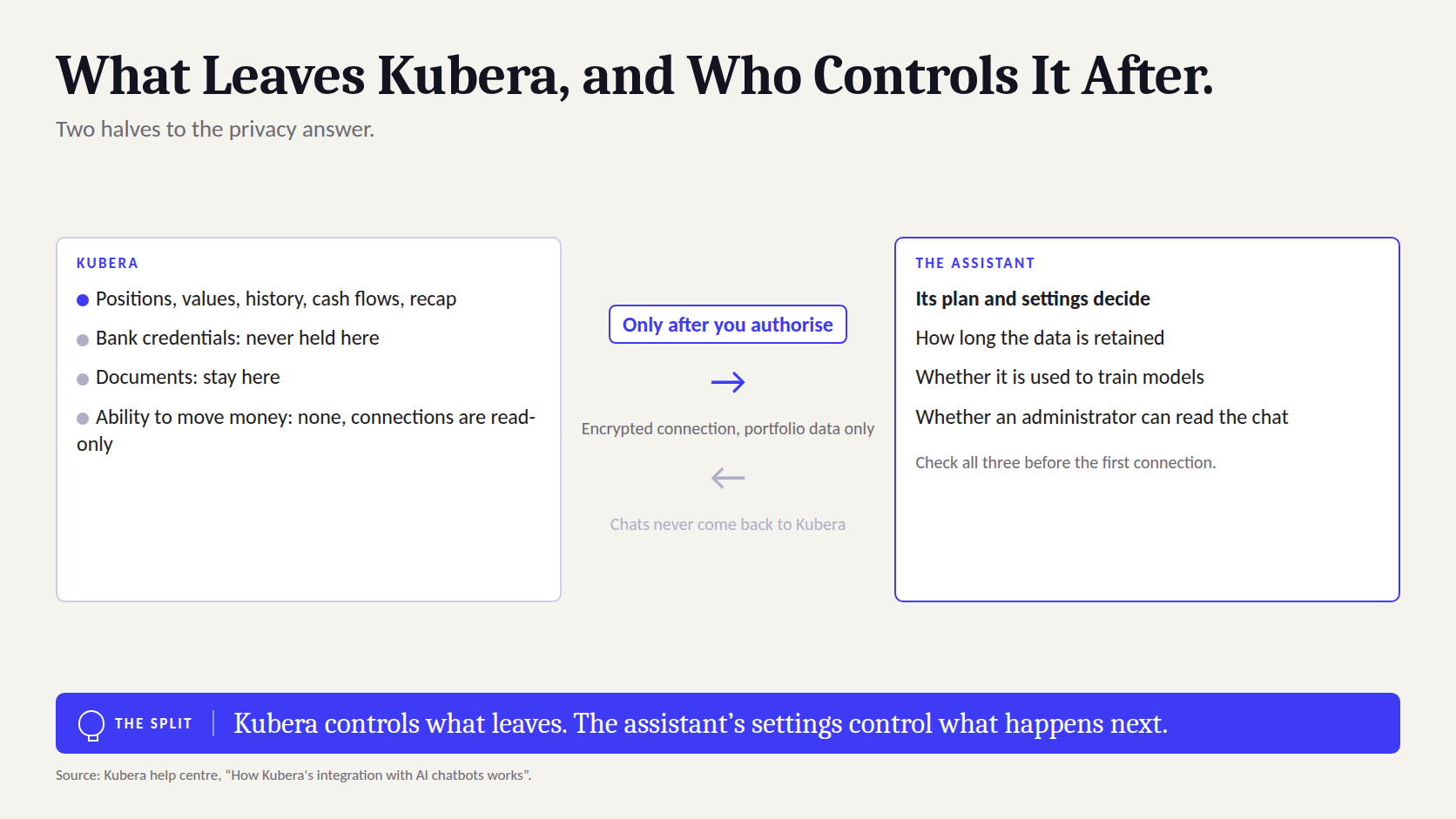
The privacy question is the right one to ask, and the answer has two halves. On Kubera's side, nothing is shared until you enable Kubera inside the assistant and log in to authorise it; from then on, portfolio data travels over an encrypted connection directly from Kubera to the assistant. Kubera does not see, log or store your chats. On the assistant's side, once the data has been imported it is governed by that assistant's plan and settings, including how long it is retained and whether it can be used to train models. Those settings differ by vendor and by plan, and they change, so they are worth reading before the first connection (help centre).
The data map
| Goes to the assistant | Stays where it is | Who controls it | |
|---|---|---|---|
| Positions, values, history, cash flows, recap | Yes, when you ask a question that needs them | — | You, by authorising; the assistant's settings afterwards |
| Bank and brokerage credentials | No | With the aggregator; Kubera never holds them | You and the institution |
| Documents attached to assets | No | In Kubera | You |
| Your chats with the assistant | They are with the assistant | Never sent to Kubera | The assistant's retention and training settings |
| The ability to move money | No | Nowhere; Kubera's connections are read-only | — |
Three settings to check in the assistant before you connect
Training. Whether your conversations and connected data can be used to improve the vendor's models, and how to turn that off. Business and enterprise plans usually exclude training by default; consumer plans vary.
Retention and memory. How long conversations and connector data are kept, and whether the assistant carries facts about you between chats.
Who else can see it. On a shared or workplace plan, whether administrators can review conversations. If the answer is yes, the balance sheet is now visible to them too.
The Working Habit: Ask, Verify, Decide
The models are fluent, and fluency is not accuracy. An assistant will occasionally miscount a fund's underlying holdings, mis-date a cash flow, or state a figure with confidence that is a month stale because a manual asset was not updated. Kubera's own guidance is blunt: AI makes mistakes; double-check its answers. The habit that makes the tool reliable has three steps.
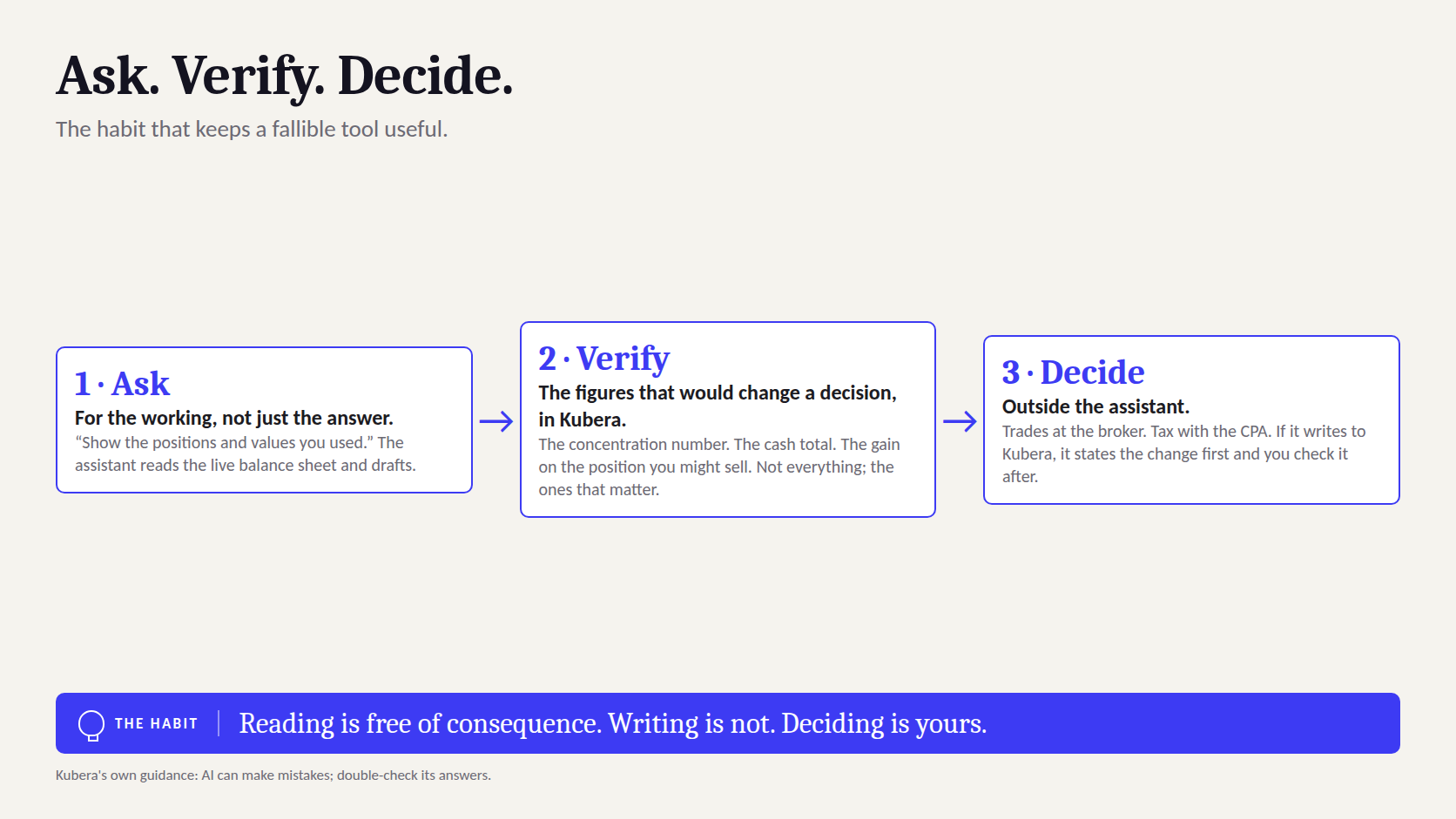
- Ask for the working, not just the answer. "Show the positions and values you used" turns an assertion into something you can check in thirty seconds.
- Verify the figures that would change a decision against Kubera itself. The concentration number, the cash total, the gain on the position you are thinking of selling. Not everything; the ones that matter.
- Decide, and act outside the assistant. Trades happen at the broker. Tax decisions go to the CPA. The assistant's job was to make the decision informed and fast; the decision is still yours.
The assistant's job is to make the inputs complete. The decision stays yours, and so does the account.
The Mistakes That Make a Connected Assistant Dangerous
- Treating fluency as accuracy. A confident paragraph with one wrong number is worse than no paragraph. Ask for the working.
- Letting it write without confirming. "Tidy up my portfolio" is an instruction with no edges. Give it specific changes and check each one.
- Asking it to decide. "Should I sell?" gets a hedge, correctly. Ask instead for everything you would need to decide, then decide.
- Connecting from a shared or reviewed plan. Know who can read the conversation before the balance sheet is in it.
- Stale manual assets. The assistant is only as current as the data. Update the manual lines, with Web Sync or AI Import if the institution has no feed, before asking anything that depends on them.
- Forgetting the mistakes are yours to catch. No vendor's terms make an assistant liable for a decision you took on its numbers.
How Kubera Fits
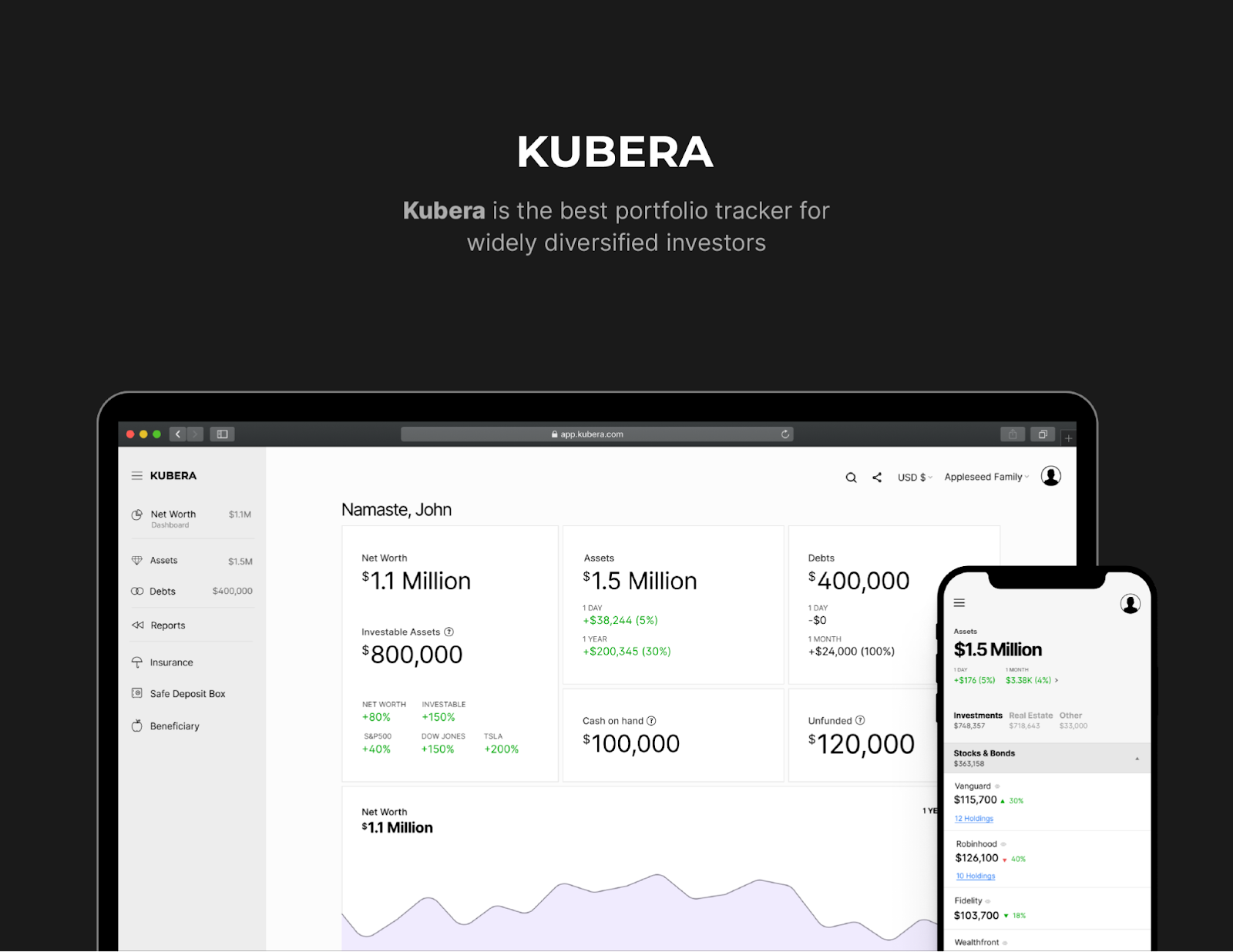
Kubera is the balance sheet the assistant reads: every bank, brokerage and exchange connected through multiple aggregators, read-only; private funds with commitments, calls, distributions and IRR; property, vehicles and collectibles kept current with live feeds and an AI appraiser; crypto and DeFi by address; multi-currency through every layer; and documents attached to each asset. The AI page explains the ChatGPT, Claude, Grok and Muse connections, the setup guide has the exact steps for each, and the connection can be left unauthorised for any assistant you do not want to use.
The 14-day trial includes the AI connections. Connect the balance sheet, ask the twelve questions above, and see which of the answers you could not have got any other way.
Frequently Asked Questions
Can I connect my portfolio to ChatGPT?
Yes. Kubera connects to ChatGPT through the Model Context Protocol: go to kubera.com/chatgpt, click Connect and authorise your Kubera account. ChatGPT can then read your net worth, value history, recap reports and full portfolio during a conversation.
Does Kubera work with Claude?
Yes. In Claude, add Kubera as a custom connector using the MCP URL in Kubera's setup guide, then authorise it. Grok and Perplexity are supported too, and any other tool can use a downloaded export from Share > Data for AI Assistants.
Is it safe to give an AI my financial data?
Two things to weigh. Kubera's side: data is shared only after you authorise it, travels over an encrypted connection, and never includes bank credentials; Kubera never sees your chats and nothing in Kubera can move money. The assistant's side: once imported, the data is governed by the assistant's own retention and training settings, which differ by vendor and plan, so read them before connecting.
Can the AI move my money or trade?
No. Kubera's connections to banks and brokerages are read-only, so nothing in Kubera, including a connected assistant, can move money or place trades. The assistant can read your data and, if you ask it to, add or update records in Kubera such as an asset or a cash flow.
Can the assistant change things in my Kubera account?
Yes, if you ask it to. It can find, create and update assets, debts, cash flows, sheets, sections and portfolios. A sensible rule is to have it describe any change before making it and to check the result in Kubera afterwards.
Is the data live, or a snapshot?
Through the MCP connection, the assistant looks up your Kubera data during the conversation. The downloadable export for other tools is a snapshot and has to be refreshed when your data changes.
Does Kubera train AI models on my data?
No. Kubera sends portfolio data to the assistant you authorise and does not log or view your chats. Whether the assistant uses the data for training depends on that assistant's plan and settings.
Which AI assistants does Kubera support?
ChatGPT, Claude, Grok and Grok Bot, Perplexity and Muse through direct connections, coding and desktop agents such as Cursor through the second part of the setup guide, and any other tool or local model through the exported data file.
The Principle Worth Keeping
An assistant that can read your whole balance sheet turns general financial knowledge into specific answers about your money, in seconds, across every account. That is worth having. It does not make the assistant right, and it does not make the decisions its own. Connect it, ask it the questions no spreadsheet could answer quickly, check the numbers that matter, and keep the decision, and the account, in your own hands.
This article is general information, not investment, tax or legal advice. AI assistants make mistakes; verify their output before acting on it, and confirm tax and legal questions with a qualified professional.


